Chitwan Arena · Free · No Download · No Signup
Play Carrom Onlinewith Friends — Free
The classic Carrom board game reimagined for real-time multiplayer. Create a room on Chitwan Arena, share the link, and flick your striker to pocket coins — instantly in your browser.
- ✓ 2–4 Players
- ✓ 3D Board
- ✓ No account needed
- ✓ Works on mobile
How to Play
Carrom Rules — Quick Guide
Flick the striker to pocket your coins before your opponents. Pocket the red Queen for bonus points.
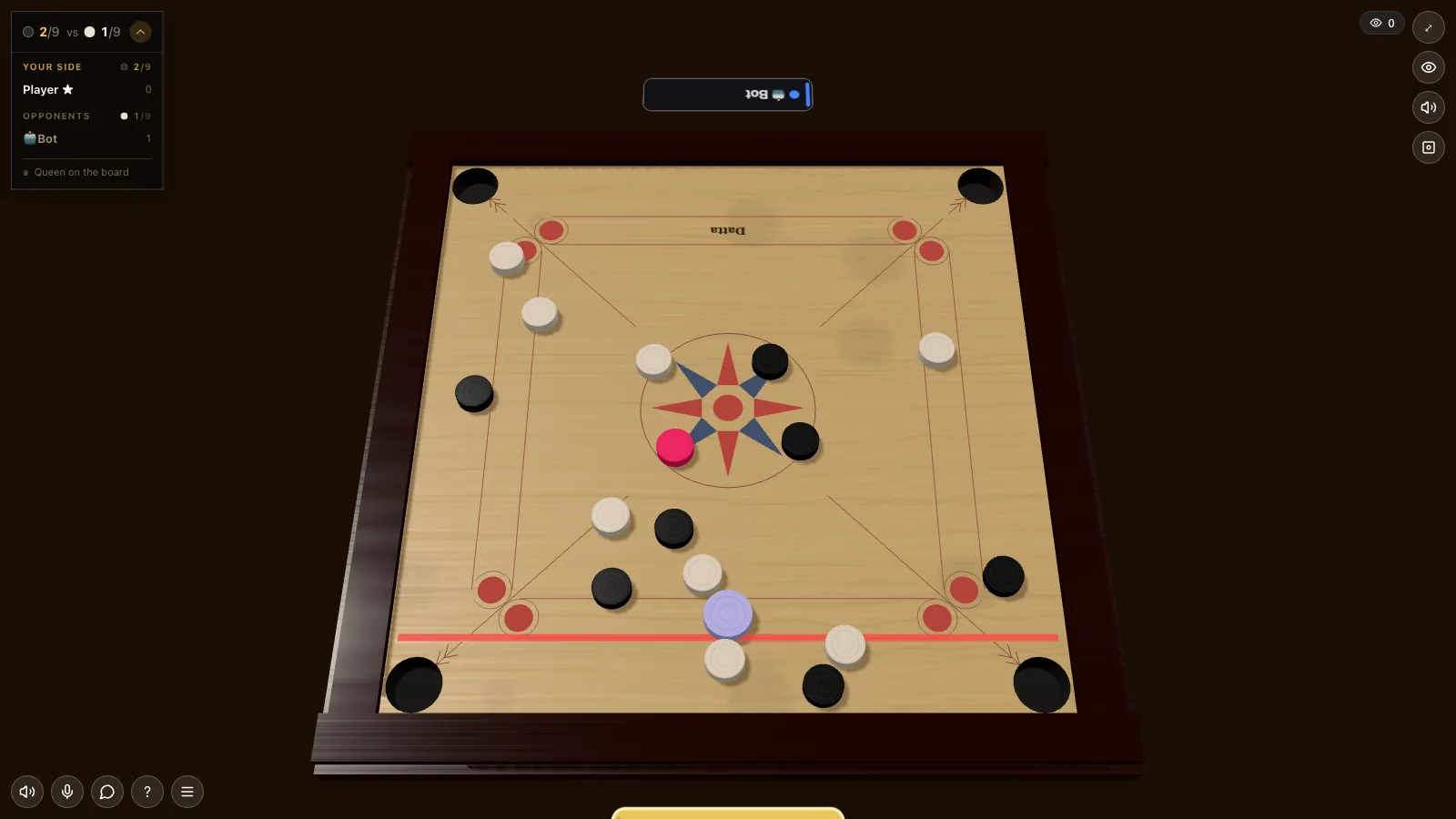
Flick the Striker
Aim and flick the striker to knock your coins into the corner pockets. Each player takes turns from their baseline.
Pocket Your Coins
Black and white players each pocket their own colored coins. Pocket all yours before your opponents to win the board.
The Queen
Pocket the red Queen and then cover it with one of your own coins to claim it. The Queen is worth bonus points.
Win the Match
The player or team that pockets all their coins first — and covers the Queen — wins the board and scores points.
Tips & Strategy
Carrom Tips & Strategy
Power loses boards — touch and angles win them.
Carrom rewards a steady hand and a sharp eye for angles. Spend your first few shots controlling power rather than smashing the pile — a soft, accurate flick pockets coins far more reliably than a hard strike that scatters everything across the board. Aim through the centre of your target coin toward the pocket you want.
Learn to use the cushions. Many of the best shots come from banking the striker off a side rail to reach coins tucked against the board edges or hidden behind the central cluster. Resist grabbing the Queen the instant you can: you must cover her by pocketing one of your own coins on the very next shot, so only go for the Queen when you have a coin lined up to confirm her.
Guard against fouls — pocketing the striker itself, or sinking it after your last coin, costs you points and position. When you do not have a clean pocket, play defensively and leave the striker and coins where your opponent has no easy follow-up. Patience and angle control beat raw power almost every time.
Get Started
Play Carrom in 3 Steps
Set up the board and start flicking in three steps.
STEP 01
Set Up a Carrom Board
Click "Play Carrom — Free" to open a board. You get a 4-letter room code and an invite link to share.
STEP 02
Invite Your Opponents
Share the link for a 2-player singles or 4-player doubles match. Friends join in a single tap — no signup needed.
STEP 03
Flick & Pocket
The host starts the match, the 3D physics board loads, and players take turns flicking the striker to pocket their coins and claim the Queen.
FAQ
Carrom Online — Frequently Asked Questions
Everything you need to know before your first board.
Ready to Play Carrom Online? 🎯
Free multiplayer Carrom on Chitwan Arena — no download, no account. Just share and play.
Play Carrom Now — Free